Google Ads AI Audit Tool
AI-Powered Audits. Human-Powered Results.
Get a comprehensive audit for your Google Ads account. Adsbot’s AI Audit instantly scans your entire account landscape to reveal hidden opportunities and critical errors. Stop manual checking and get a complete, data-driven health check & actionable roadmap in seconds.





The Only Google Ads Audit Tool Built for Agencies, By Experts.
- Maximize Your Client's ROAS. Minimize Your Team's Time.
- Uncover Hidden Budget Leaks and Maximize Client Lifetime Value.
- Identify High-Impact Actions to Drive Instant Growth.
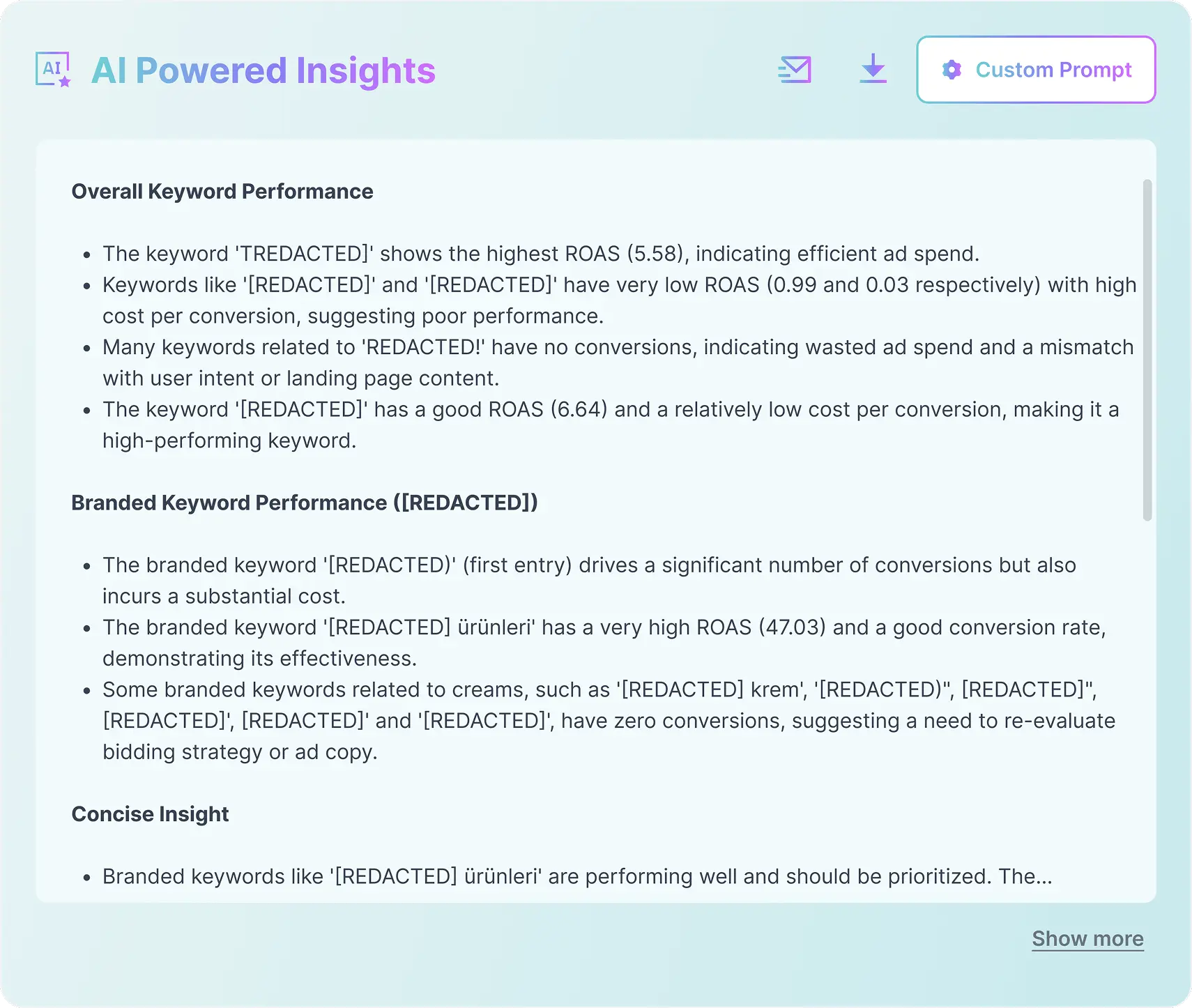
Smart Recommendations
The Audit Tool That Finds Budget Waste and Hands You the Solution.
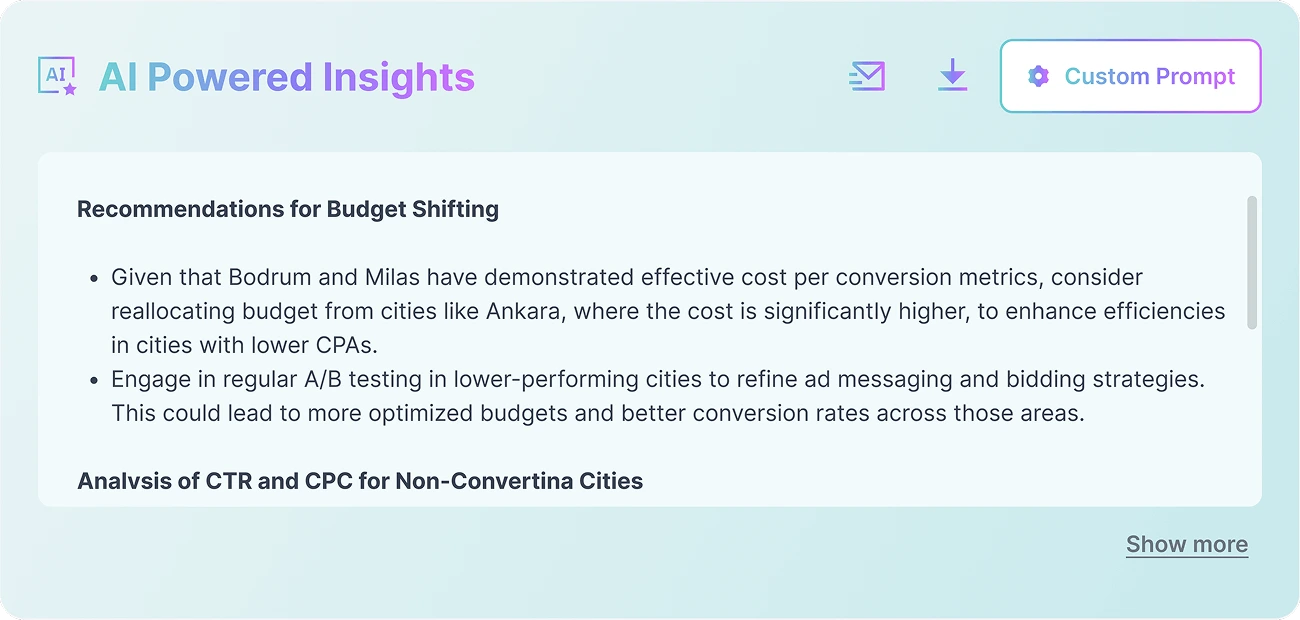
Maximize your budget efficiency without the spreadsheet headaches. Adsbot's AI instantly analyzes your historical spend distribution to uncover hidden inefficiencies across campaigns. It isolates specific ad groups and keywords bleeding cash while pinpointing exact opportunities to scale profitable traffic. Get immediate, actionable recommendations on exactly where to shift funds to maximize ROAS and eliminate wasted ad spend.
Optimize spend, maximize impact.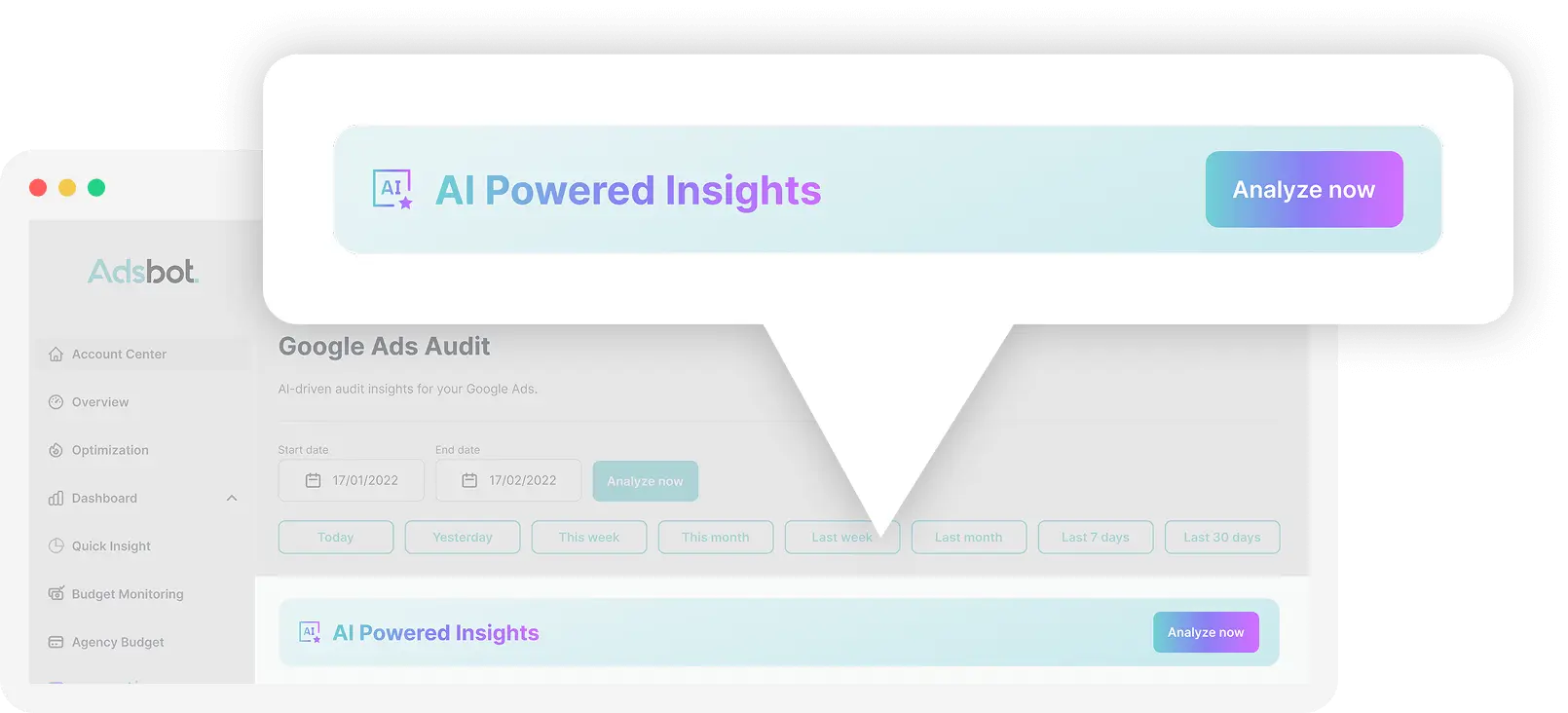




The Ultimate 2026 Google Ads Audit Checklist: Mastering the Agentic Era
Phase 1: Campaign Structure and Budgets
The 2026 standard architecture replaces fragmented, siloed campaigns with the AI power pack, a tripartite coordination of Demand Gen, AI Max, and Performance Max.
- Consolidate by Intent: Ensure campaigns are segmented by user intent and business goals rather than hyper-granular product lists to maximize data density.
- Implement the 70/20/10 Budget Rule: Check that budgets are allocated strategically: 70% to proven core performers, 20% to emerging opportunities (like scaling AI Max), and 10% to innovation bets (like Shoppable CTV).
- Isolate Brand Traffic: Ensure brand and non-brand campaigns are strictly separated. Use campaign-level brand exclusions in Performance Max and AI Max.
- Top-of-Funnel Coverage with Demand Gen: Verify you are running Demand Gen to feed the funnel. Audit targeting to ensure it uses lookalike segments based on high-value customers (LTV > $500), not just broad interests.
Phase 2: Performance Max and AI Max Setup
PMax and AI Max are high-powered engines that require strict strategic guardrails to prevent budget waste.
- PMax Search Themes: Verify the account uses up to 25 search themes per asset group (best practice: 8-12 high-intent themes) to guide the AI's cold-start phase.
- Negative Keyword Hygiene: Audit campaign-level negative keyword lists in PMax (up to 10,000 allowed). Ensure competitor lists are applied to isolate conquesting efforts.
- Enable PMax Brand Guidelines: Verify brand guidelines are enabled at the campaign level. Ensure your Business Name and Logo are linked here (mandatory for new campaigns as of Jan 2026).
- AI Max URL & Text Controls:
- URL Exclusion: Verify that final URL expansion explicitly excludes non-converting pages: support pages, blog posts, terms of service, and "out of stock" product pages.
- Text Customization: Review text customization to ensure AI-generated headlines align with strict brand safety guidelines.
- Analyze Channel-Level Reporting: Review PMax channel performance reports to diagnose spend distribution across Search, Shopping, YouTube, and Display.
- Audit Search Partner Content Suitability: Review the Search Partner Content Suitability Report to identify low-quality placements (e.g., specific "Video Platforms").
Phase 3: Bidding and Automation Settings
Bidding in 2026 targets actual profit and lifetime value rather than volume alone.
- Upgrade to Value-Based Bidding (VBB): For campaigns with 50+ conversions in 30 days, ensure they have migrated from Target CPA to Target ROAS (tROAS).
- Audit Conversion Value Rules: Are you passing dynamic values based on margins or LTV? For Lead Gen, differentiate values (e.g., "Student" = $0 vs. "CEO" = $100).
- Leverage the Investment Strategy Tool: Check the Investment Strategy Tool to forecast the impact of budget shifts and use AI suggestions for reallocation.
- Review Portfolio Bid Strategies: Ensure campaigns with similar goals are grouped. Critical Check: Verify "Maximum Bid Limits" are not set too low (e.g., <$5), preventing wins in premium AI Overview auctions.
- Enable High Value Mode for NCA: Check if PMax "New Customer Acquisition" goal is set to "High Value Mode" to bid aggressively for high-LTV users.
- Audit Auto-Apply Recommendations (AAR):
- Disable: "Add new keywords," "Remove conflicting negative keywords," "Expand to Google Search Partners."
- Enable (Safe Zones): "Remove redundant keywords," "Upgrade to data-driven attribution."
Phase 4: Audiences and Customer Data
As third-party cookies degrade, first-party data is your primary competitive moat.
- Assess Customer Match Freshness: Ensure high-quality CRM lists are actively synced via the Data Manager API.
- Implement Exclusion Lists: Verify that existing customers and job seekers are suppressed from pure acquisition campaigns.
- Audit Audience Signal Quality:
- Tier 1 (Best): Customer Match (LTV > $X)
- Tier 2 (Good): Website Visitors (Cart Abandoners)
- Tier 3 (Fair): Custom Intent (Competitor Keywords)
- Risk Flag: Flag any Asset Group relying primarily on Tier 4 signals (Google Interests/Affinity).
Phase 5: Ad Creatives and Assets
In an algorithmic world, the creative itself is the targeting.
- Asset Strength & Density: Verify that all RSAs and PMax Asset Groups have an "Excellent" Ad Strength rating.
- Minimum Counts: Ensure each asset group contains at least 4 unique high-quality images, 1 video, 5 headlines, and 4 descriptions.
- Leverage Generative AI (Asset Studio):
- SynthID Check: Verify AI-generated assets have passed human review (checking for hallucinations) and contain SynthID watermarks.
- Style References: Ensure "Style References" (brand colors, lighting) are uploaded to Asset Studio to prevent off-brand AI generations.
- Vertical Video Coverage: Confirm the presence of 9:16 vertical videos (created via Veo 3 modular editing).
- Migrate Legacy Call-Only Ads: Ensure a migration plan to Responsive Search Ads with Call Assets is active for any remaining Call-Only ads.
Frequently Asked Questions
You can verify performance manually, checking bids, location targets, and search terms one by one, or use an automated Google Ads audit tool. While acting as your own Google Ads auditor offers control, it’s slow and unproductive. Adsbot executes a complete Google Ads audit in seconds, identifying critical issues with speed and precision manual checks can never match.
To audit Google Ads account structure, utilize Adsbot’s AI Audit to instantly evaluate your campaign hierarchy and performance. Our AI Audit reports scan your whole Google Ads account. A comprehensive Google Ads account audit powered by AI verifies that your structure aligns with efficiency targets. When you audit Google Ads account with Adsbot, you automatically detect structural flaws hurting your ROAS.
A thorough Google Ads keyword audit analyzes search terms and match types to refine targeting. This process helps you identify negative keywords to eliminate wasted ad spend. Regular AI audits ensure you are capturing the right traffic.
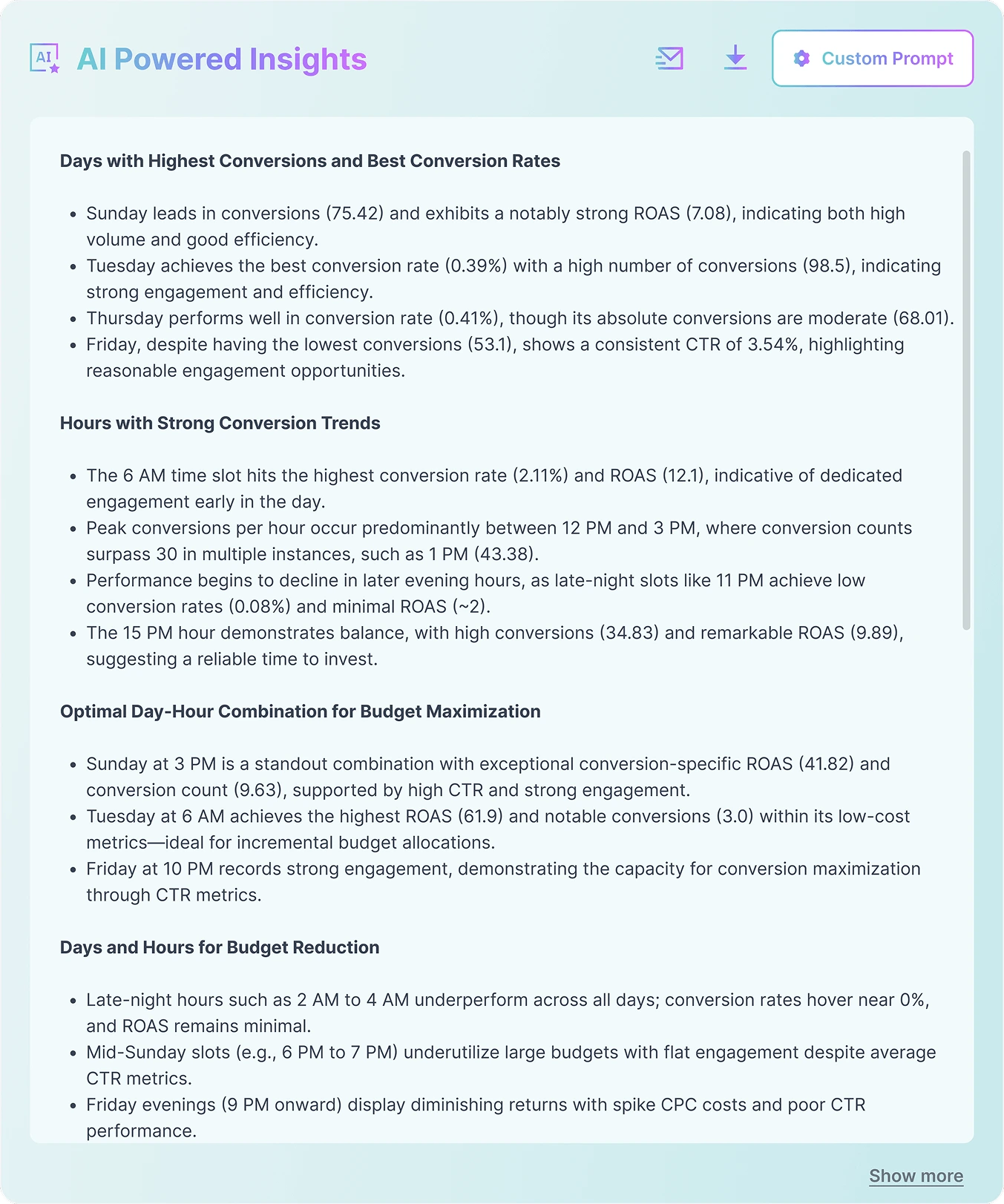
To audit geo-targeting Google Ads, simply review Adsbot’s AI audit report to instantly identify high-converting regions and times. Use these insights to optimize ad scheduling and refine your budget allocation Google Ads strategy, ensuring your budget is focused on the most profitable times and places.
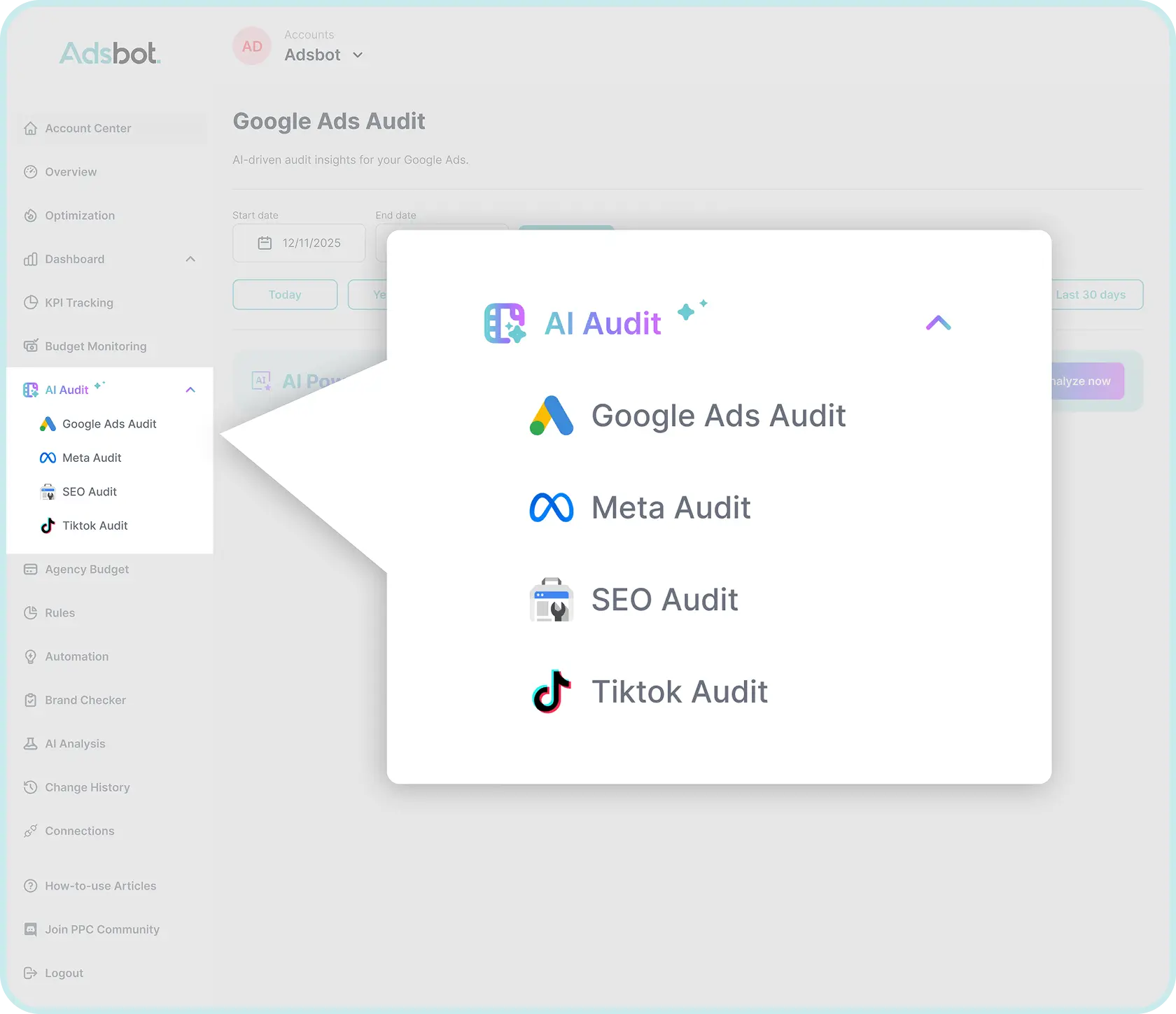
To audit Google Ads with Adsbot, simply head to the AI Audit tab, select Google Ads, and click ‘Analyze Now’. You can customize the ads audit by adjusting the prompt, changing the report language, and having it emailed directly to you. This serves as a dynamic Google audit tool, superior to a static Google Ads audit report template. It helps you audit bidding strategies, understand how to audit a Google Ads account, and automate the entire Google ad audit process, simplifying how to audit Google Ads account performance.
Still not convinced?
Register for our Free 14-day Trial now!
No credit card required, cancel anytime.
Try Adsbot