Adsbot February Updates
Our February updates are here! We’ve added new tools to help you manage your accounts faster and work together more easily. Check out the new features designed to give you a clear view of your whole portfolio.
Please remember to request any features you would like to see on the platform; many of these updates come straight from your feedback!
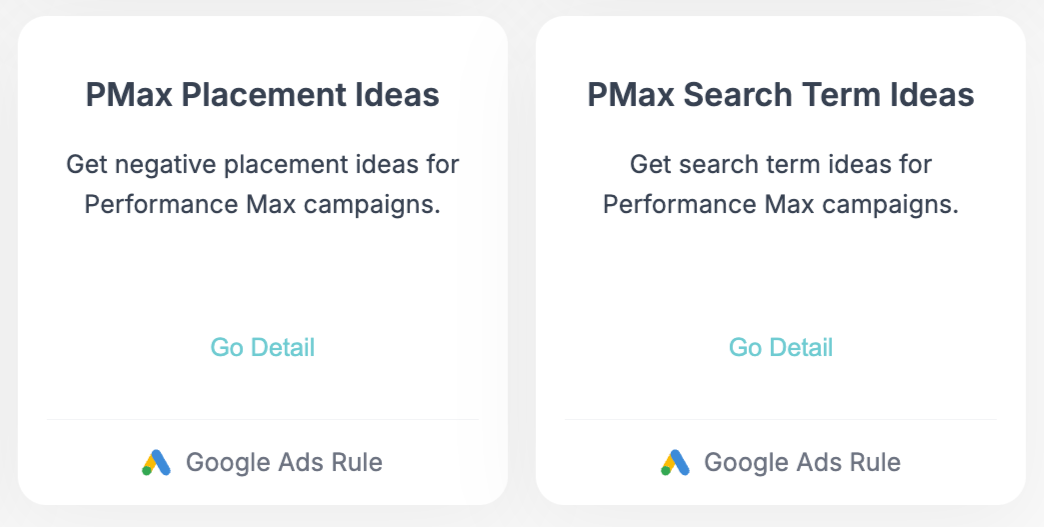
Take Control of PMax: Search Term & Placement Ideas
Performance Max campaigns don’t have to be a black box. We have added two new tools under the AI Analysis tab to give you back control over your PMax data.
- PMax Search Term Ideas: See exactly which search terms are bringing in clicks and conversions for your PMax campaigns. Find new keyword opportunities or spot irrelevant terms to add to your negative lists.
- PMax Placement Ideas: Find out exactly where your PMax ads are showing up. Spot the best placements to focus on, or identify low-quality sites that are wasting your budget, so you can exclude them.
Head over to AI Analysis to get started and optimize your PMax campaigns today!
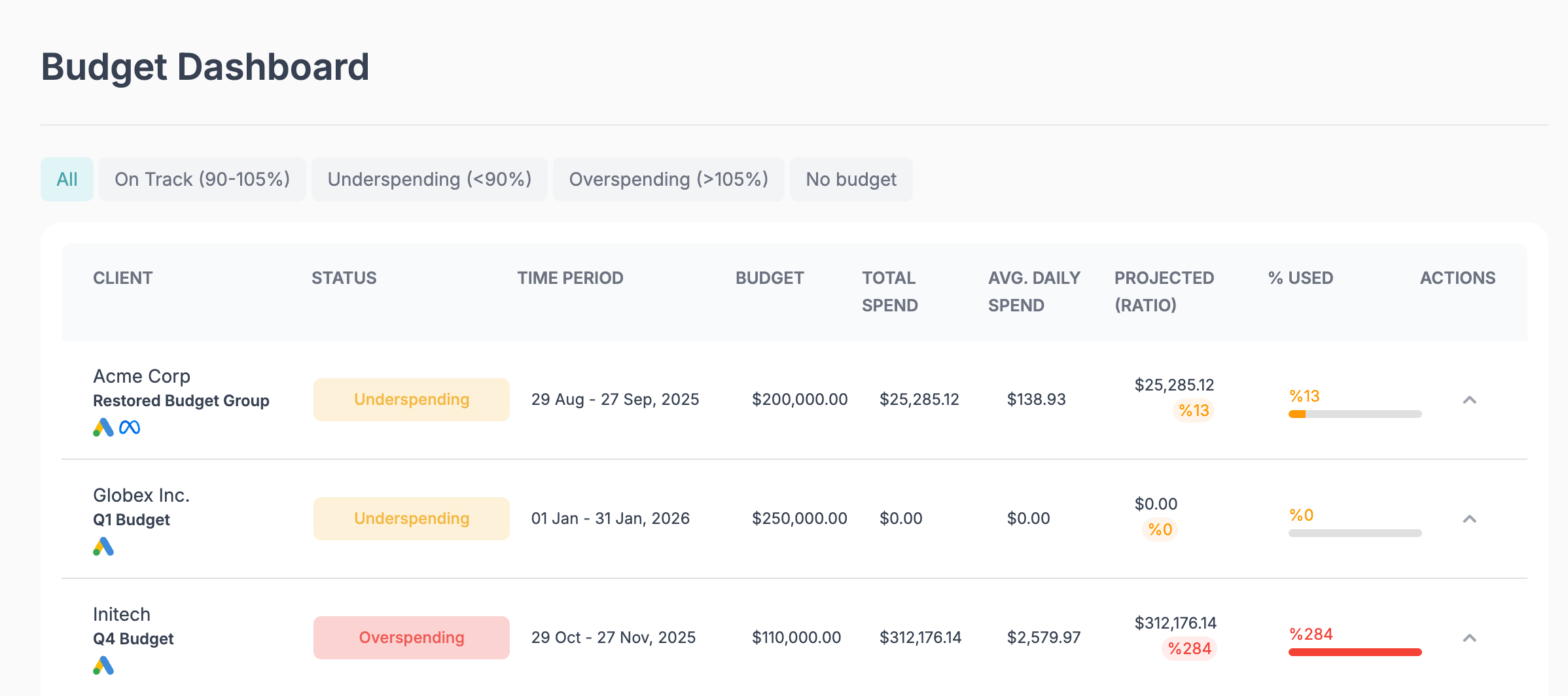
Agency Budget Dashboard
Track your agency’s budget pacing without opening a single spreadsheet. Our new Budget Dashboard gives you a complete look at every client’s spending status.
- Instantly see which accounts are Overspending, Underspending, or On Track.
- Track Total Spend, Average Daily Spend, and Projected Spend across your whole portfolio.
- Catch spending issues before they become end-of-month surprises.
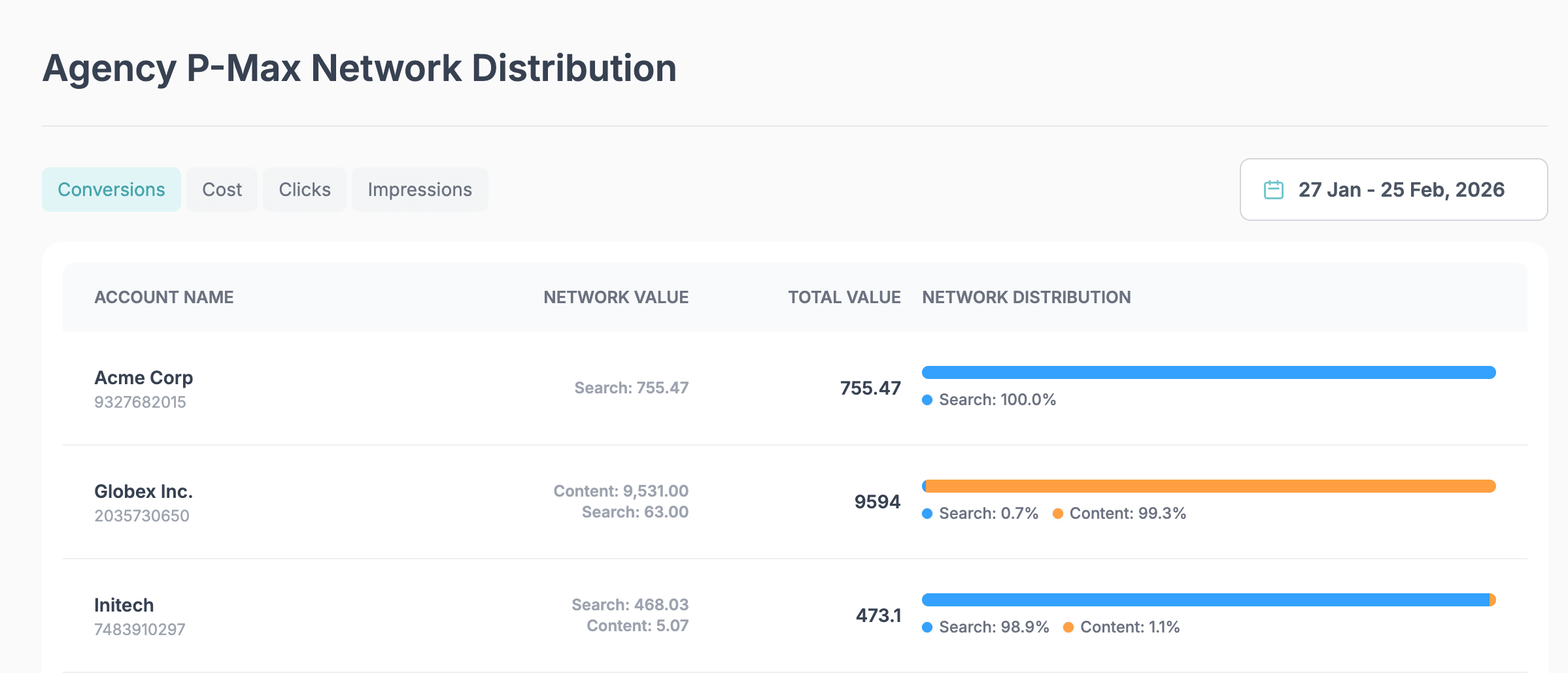
Agency P-Max Network Distribution
See exactly where your Performance Max budgets are going across all your clients. This new dashboard breaks down P-Max spending by Search, Content, and Discover for every account you manage. Easily spot trends across your client base at a glance.
Head over to your Agency Dashboard to get total visibility into your clients’ health today!
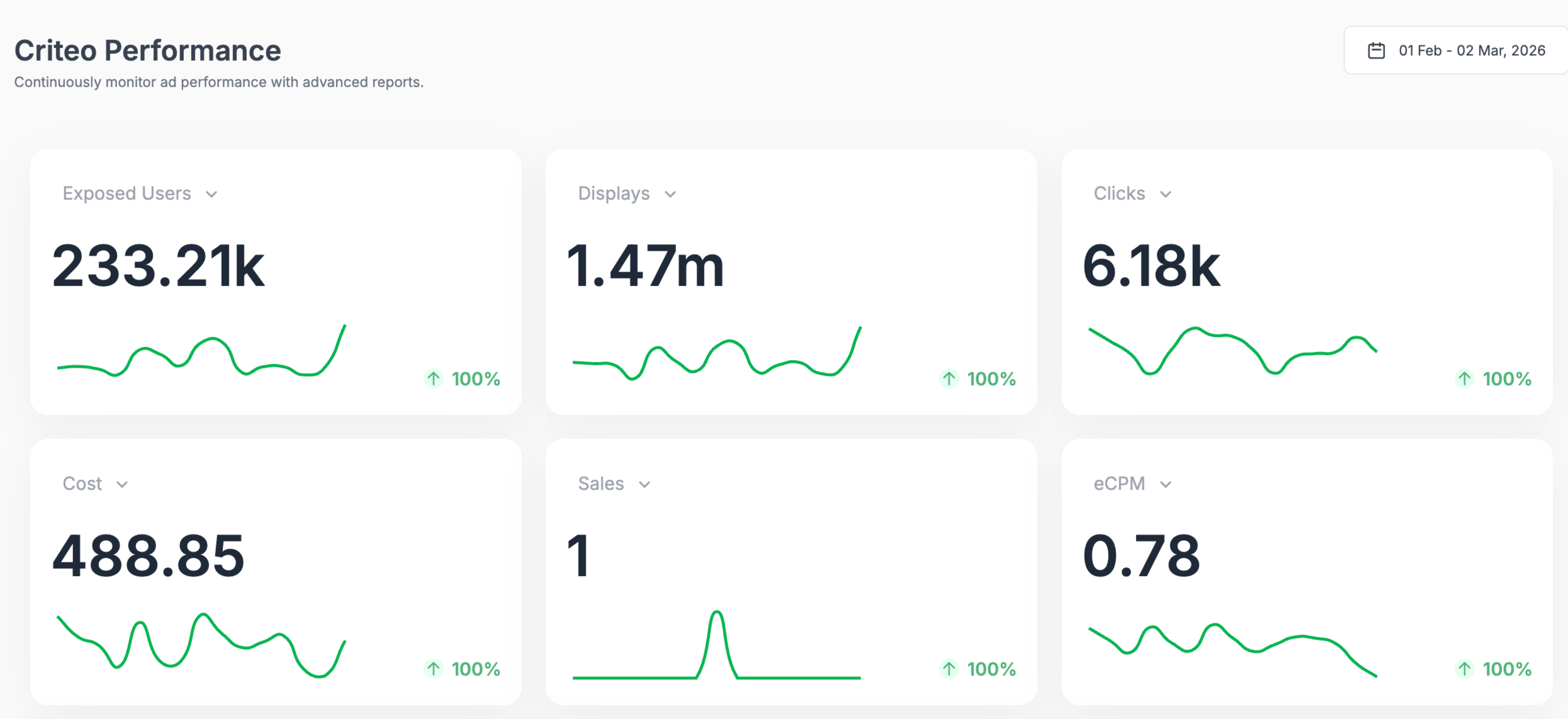
Criteo Dashboard Integration
We are thrilled to announce our new Criteo integration! You can now track your retargeting success with ease. Monitor total sales, costs, and clicks while breaking down your audience insights by device and operating system directly within Adsbot. Stop the endless tab switching and bring your retargeting data into one view.
HubSpot Dashboard Integration
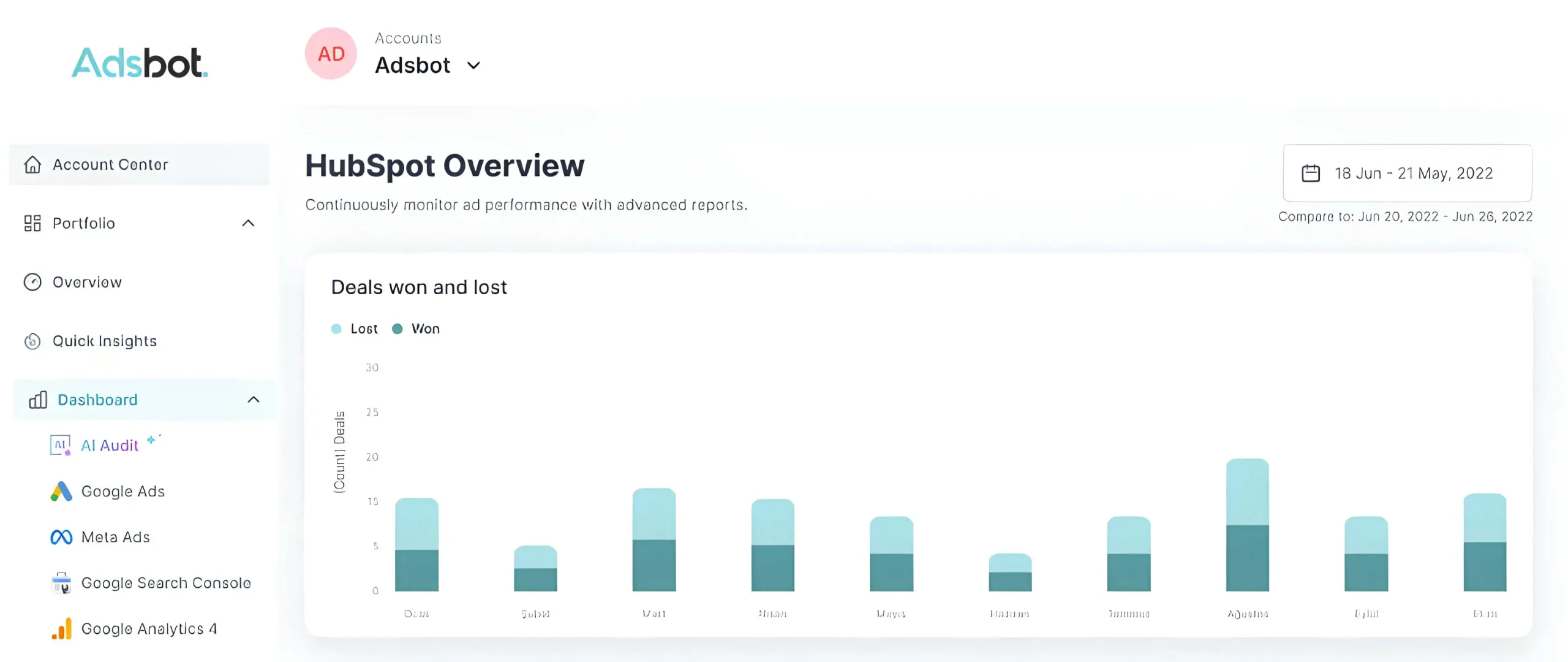
Connect your marketing directly to your sales pipeline. With our new HubSpot dashboard, you can see the real impact of your ads by tracking deals won and lost, monitoring deal stages, and measuring your win rates directly in Adsbot.
Google Merchant Center Dashboard
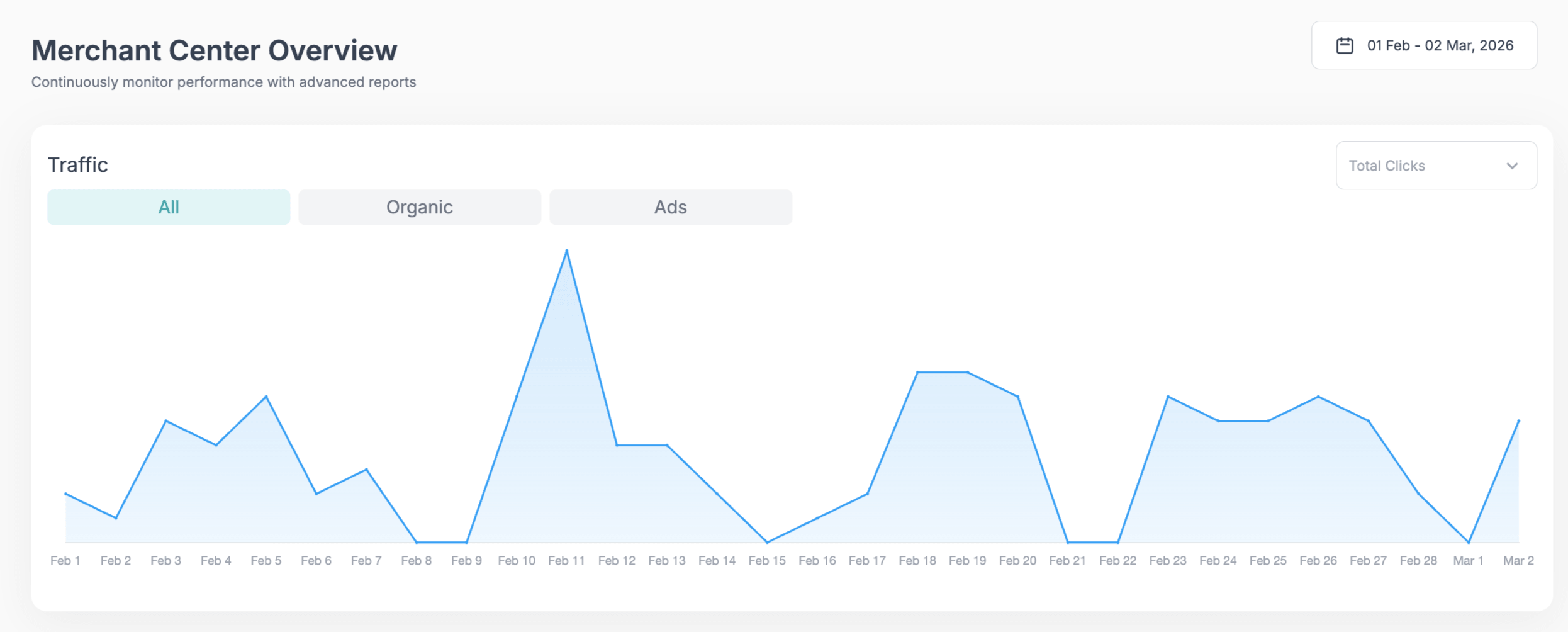
Keep your shopping feeds healthy and competitive! Our new Google Merchant Center integration allows you to quickly spot disapproved products, track your most clicked items and brands, and monitor your product info all in one single place.
Granular Conversion Breakdowns
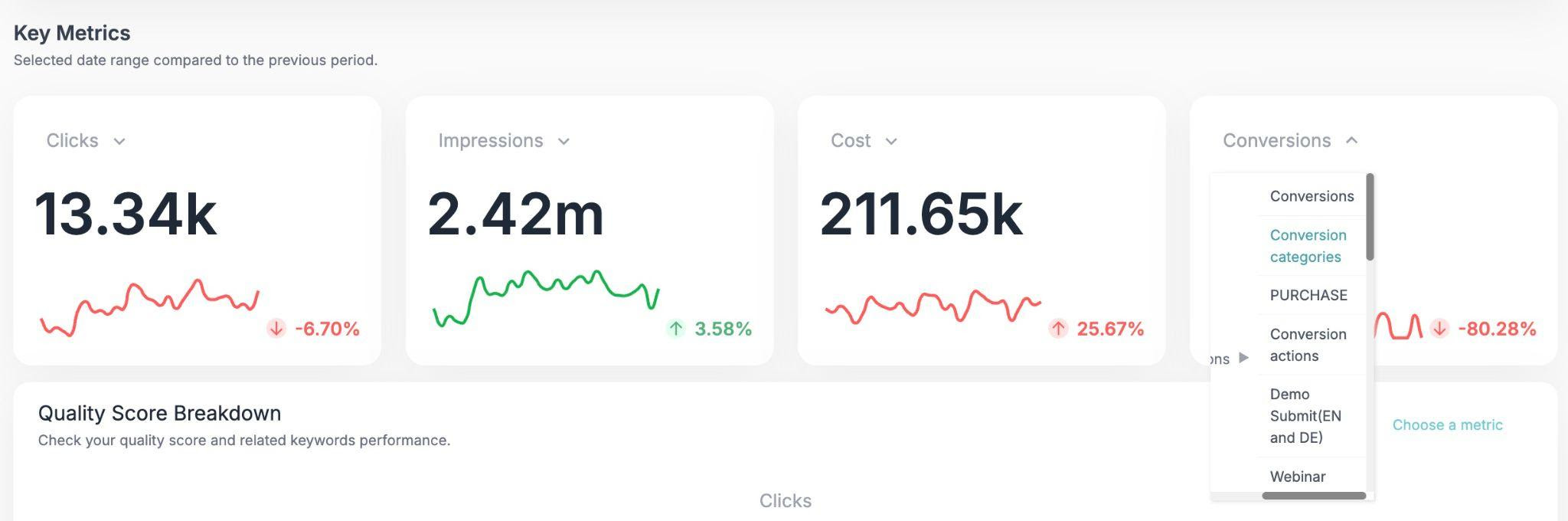
We have improved how you view conversion data on the Overview and Google Ads pages. In the past, you could only see your total conversions. Now, you can see the exact breakdowns!
- Filter your Conversions and All Conversions by specific actions (like Store visits, Clicks to call, etc.).
- See exactly which user actions are driving your campaign success.
- Get a clearer picture of your performance without leaving the dashboard.
Seamless Account Connections
Connecting your accounts just got much easier. Now, you can connect your MCC account once, and simply select the specific client accounts you need from a dropdown menu whenever you are setting up a new space.
Help us reach more marketers:
We need your support to reach more marketers. We also welcome your feedback on our performance and how you use Adsbot. You can leave a review on G2.
Happy optimizing,
The Adsbot Team